Connect Copilot to ChangeEngine through Copilot Studio and draft Outlook emails, Teams posts and whole programs in plain words.


.svg)




.svg)
Microsoft Copilot is the AI assistant inside Microsoft 365. With the ChangeEngine MCP connected through Copilot Studio, your team can draft and schedule employee comms without leaving Microsoft 365.
See every integration →Supported plans: Microsoft 365 Copilot with Copilot Studio. Your assistant can read and draft across audiences, communications, designs, surveys and results, with your own ChangeEngine permissions.
Everyone signs in as themselves and keeps their own permissions. Survey answers come back in aggregate, sensitive fields report coverage only, and a person publishes every communication.
Editors only see what their role allows, and every change is logged.
When something changes in your system of record, the right people hear about it on the right channel. Nobody on the People team presses send.
“Draft a welcome email for everyone starting next Monday.” Microsoft Copilot drafts it in ChangeEngine.
“Who missed the benefits email?” You get the list, by team, from real delivery data.
“Build an audience of people managers in Denver.” It is built from your HRIS fields.
“Turn our town hall notes into a recap email and a short Slack/Teams post.”
“What had the lowest opens last quarter?” Ranked results, with your channel averages.
“Summarize the onboarding survey.” Themes and counts, never tied to a person.
Ask Microsoft Copilot to write an email, a Slack/Teams post or a text. It lands in ChangeEngine as a draft for your team.
Ask Microsoft Copilot for everyone in a location, team or start-date range. It builds the audience from your HRIS fields.
Ask for an onboarding journey or a benefits campaign and get the full sequence drafted in ChangeEngine.
Ask which messages performed best, who missed an update or how a survey went, and get the answer from your real data.
Have Microsoft Copilot read a policy, a transcript or a calendar and finish the job in ChangeEngine in one request.
Every draft is previewed and test-sent in ChangeEngine, and a person on your team publishes it.
The ChangeEngine MCP runs inside Microsoft Copilot. People sign in with their own ChangeEngine account, so the assistant can only see and do what they are allowed to.
Microsoft Copilot reads your actual audiences, communications, surveys and results through the MCP tools, so answers about who missed a message or what performed best come from your account, not a model's memory.
Drafts land in ChangeEngine, previewed and test-sent to you. Nothing reaches employees until someone on your team publishes it.
Your services team runs the setup with IT. When you need something that is not in the box, your forward deployed engineer builds it.
Meet the forward deployed engineer →Your Microsoft admin adds ChangeEngine in Copilot Studio. The first person to set up agrees to data sharing for your organization.
Copy your connection URL from ChangeEngine, add it in Microsoft Copilot and sign in with your own ChangeEngine account.
Ask in plain language. Drafts land in ChangeEngine, previewed and test-sent to you, and your team publishes.
Your People team moves fast. Your IT team keeps control of every connection.
SOC 2 and ISO 27001. GDPR compliant, with data residency in the US, EU or Canada.
Single sign-on over SAML or OAuth, with optional two-factor authentication for editors.
SCIM provisioning, and content shown by HRIS attributes like role, location and employment type.
Employee data is encrypted in transit and at rest, and editors only see what their role allows.
Word-level audit logs, role-based editors, and AI providers contractually barred from training on your data.
Run your hub on your own subdomain, like central.yourcompany.com, with a couple of DNS records.


Microsoft 365 Copilot with Copilot Studio.
No. It drafts and schedules in ChangeEngine. A person on your team previews and publishes every communication.
No. Survey answers come back in aggregate, and anonymous results stay hidden until there are at least five answers.
No. AI providers are contractually barred from training on your data, and the MCP acts with the signed-in user's permissions.
Yes. The ChangeEngine MCP connects to Microsoft 365 Copilot through Copilot Studio. We walk your IT team through it.
The ChangeEngine MCP page lists every tool, with example requests for each one.
The ChangeEngine MCP connects the assistant your company already approved. Build audiences from this integration's data, draft a send or pull last week's read rates in plain words. A person on your team publishes every send.
Explore the ChangeEngine MCP →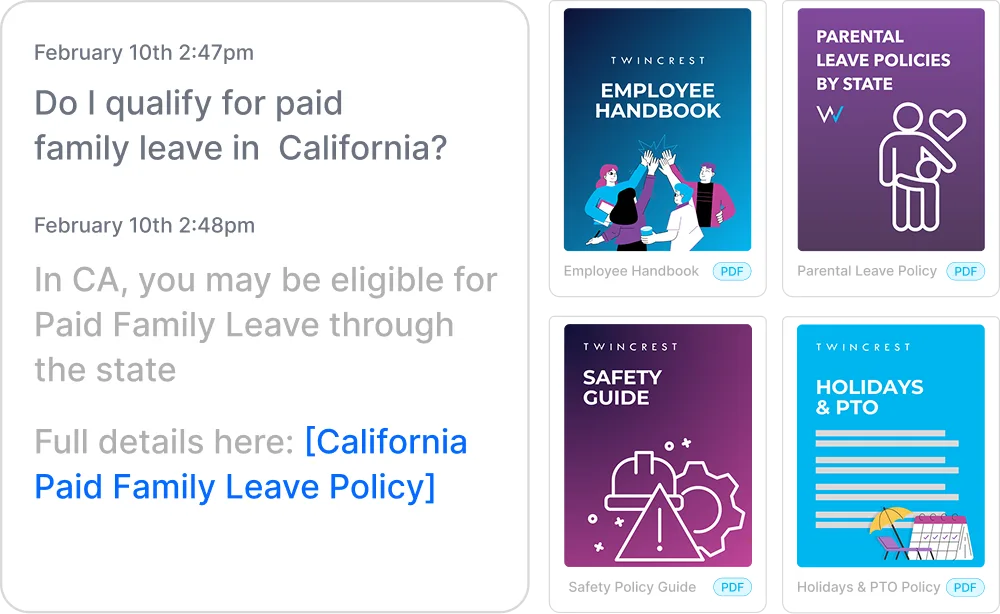
Instant, policy-grounded answers in the hub and Slack/Teams.
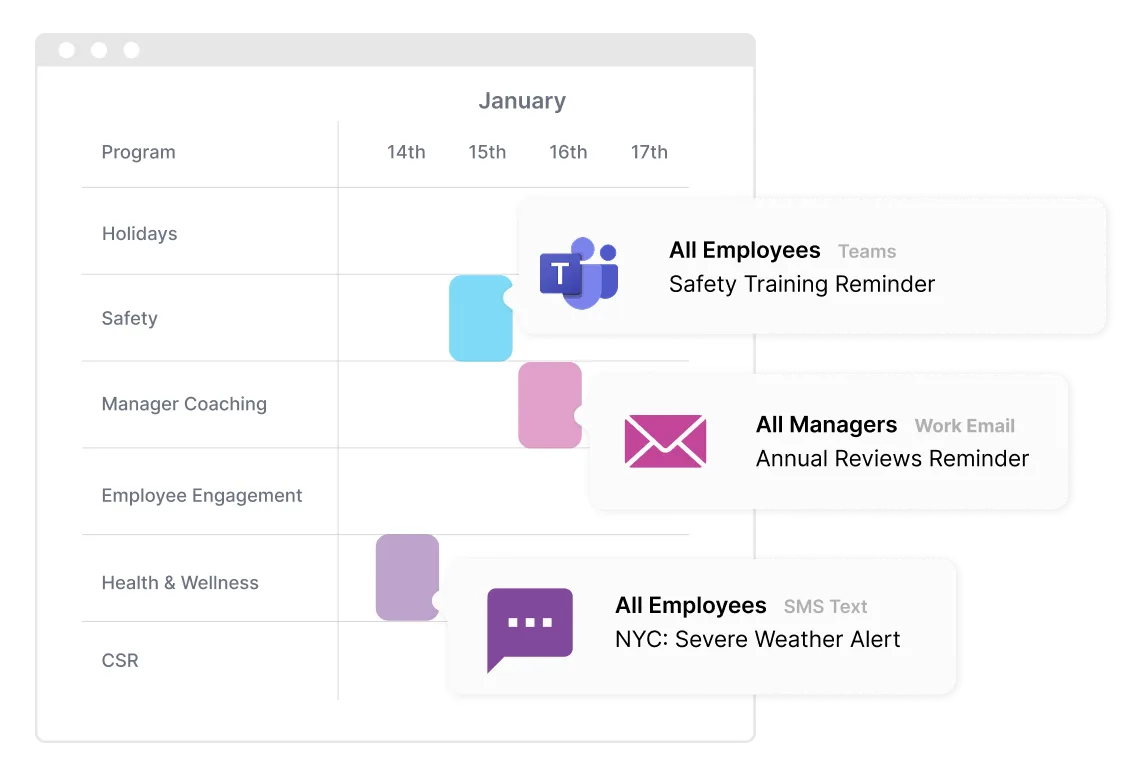
One message, every channel, timed to each person.
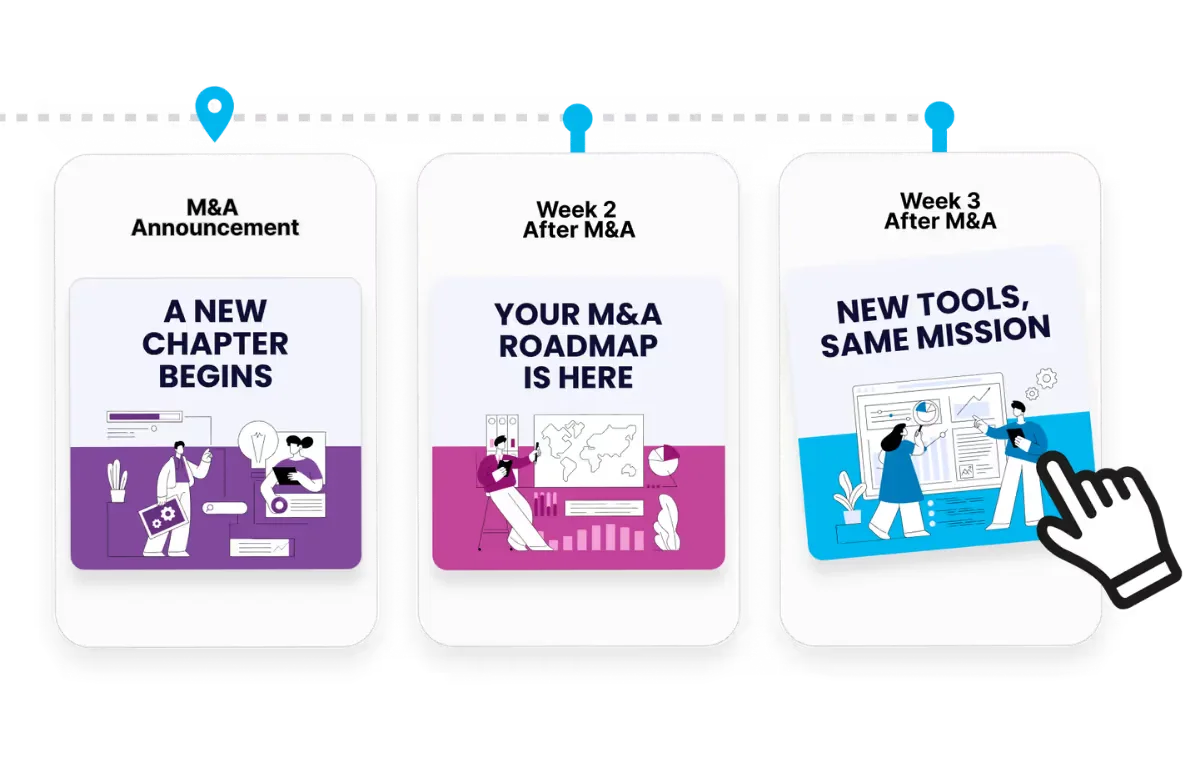
Onboarding to offboarding, triggered by your HRIS.
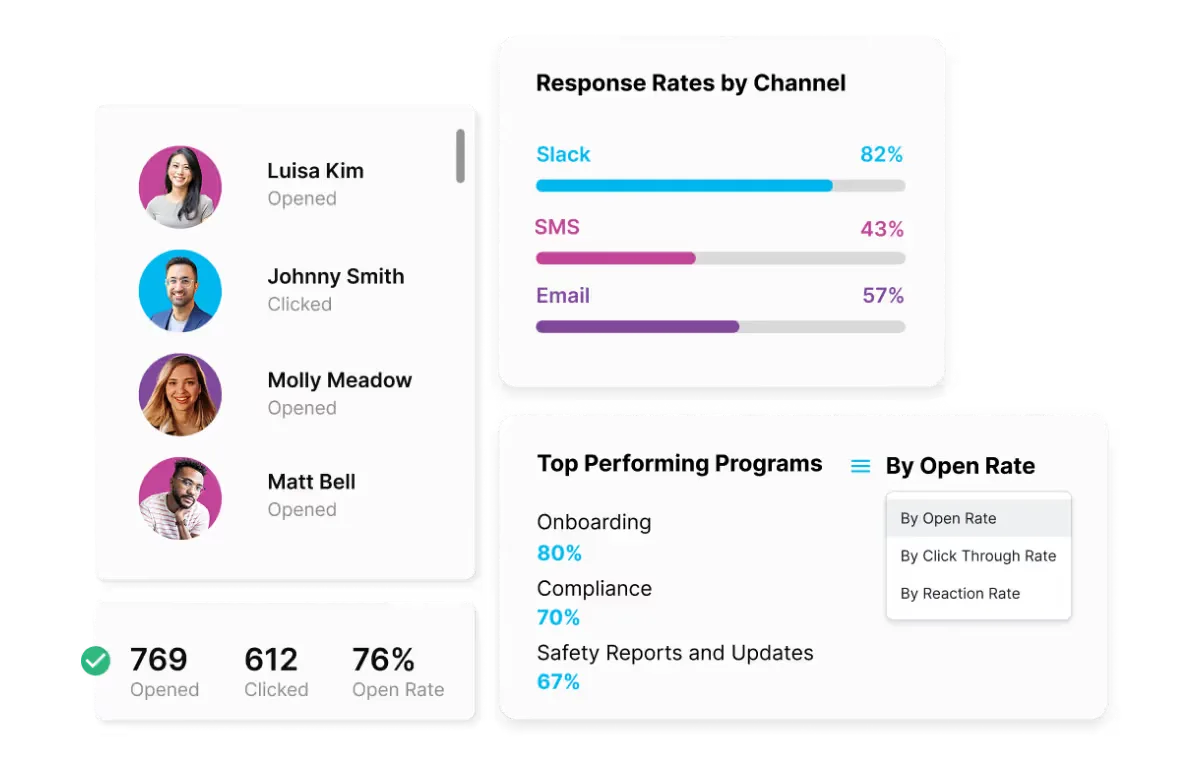
Proof for leadership, by team, channel and program.
Bring your HRIS and your channels. We will show you your first program, built in front of you.