New tools stall when comms stop at the launch email. ChangeEngine runs the full sequence for every rollout, from announcement to training, nudges and reinforcement, tracks adoption team by team, and does it inside the stack you already govern, from our app or the AI assistant you already approved.


 through the ChangeEngine MCP

.svg)


.svg)

IT rolls out something new every quarter, and adoption lives or dies on the comms. And the hard part was never the tool. Someone still has to write the announcement, make it clear, get it to the right people at the right moment and chase the ones who did not act. That is the part ChangeEngine automates.
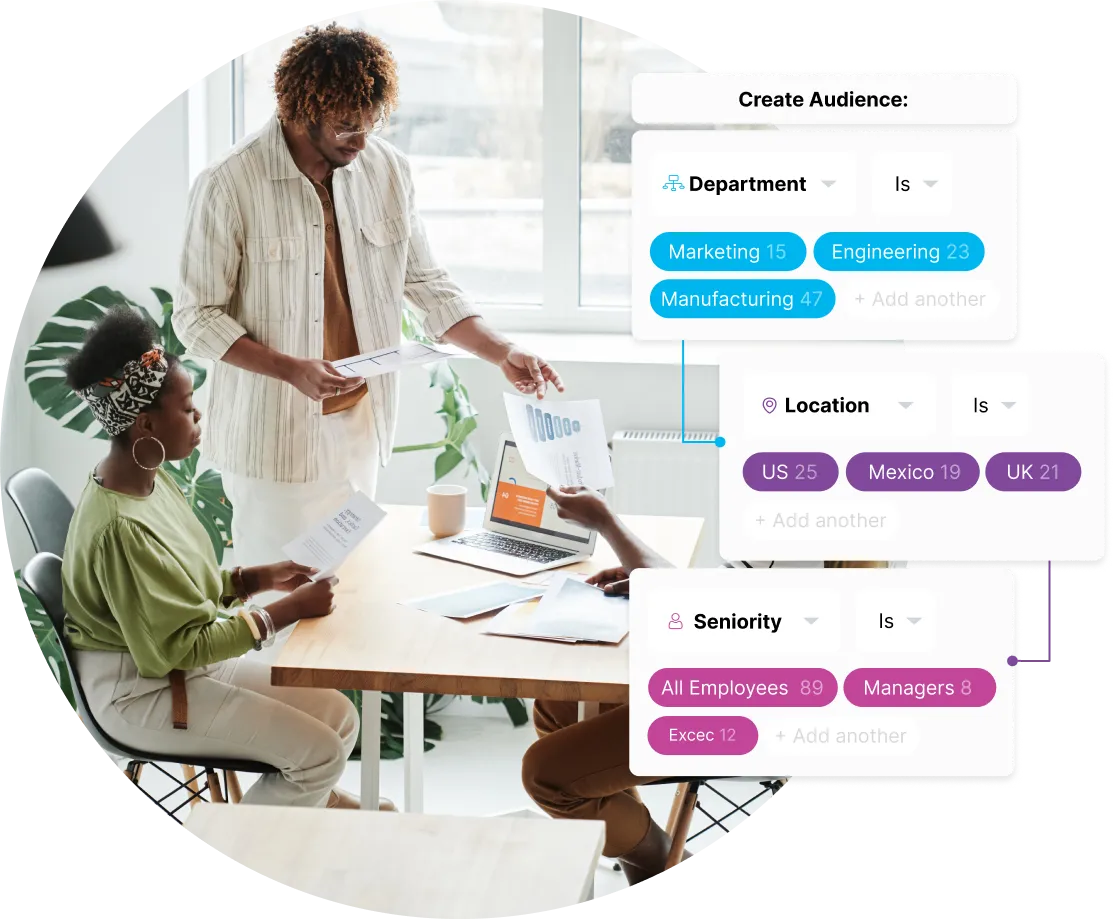
Announcement, training, nudges and reinforcement run as one sequence, targeted by team, role and location.
Quick-start guides, FAQs and a knowledge agent, so employees self-serve instead of opening tickets.
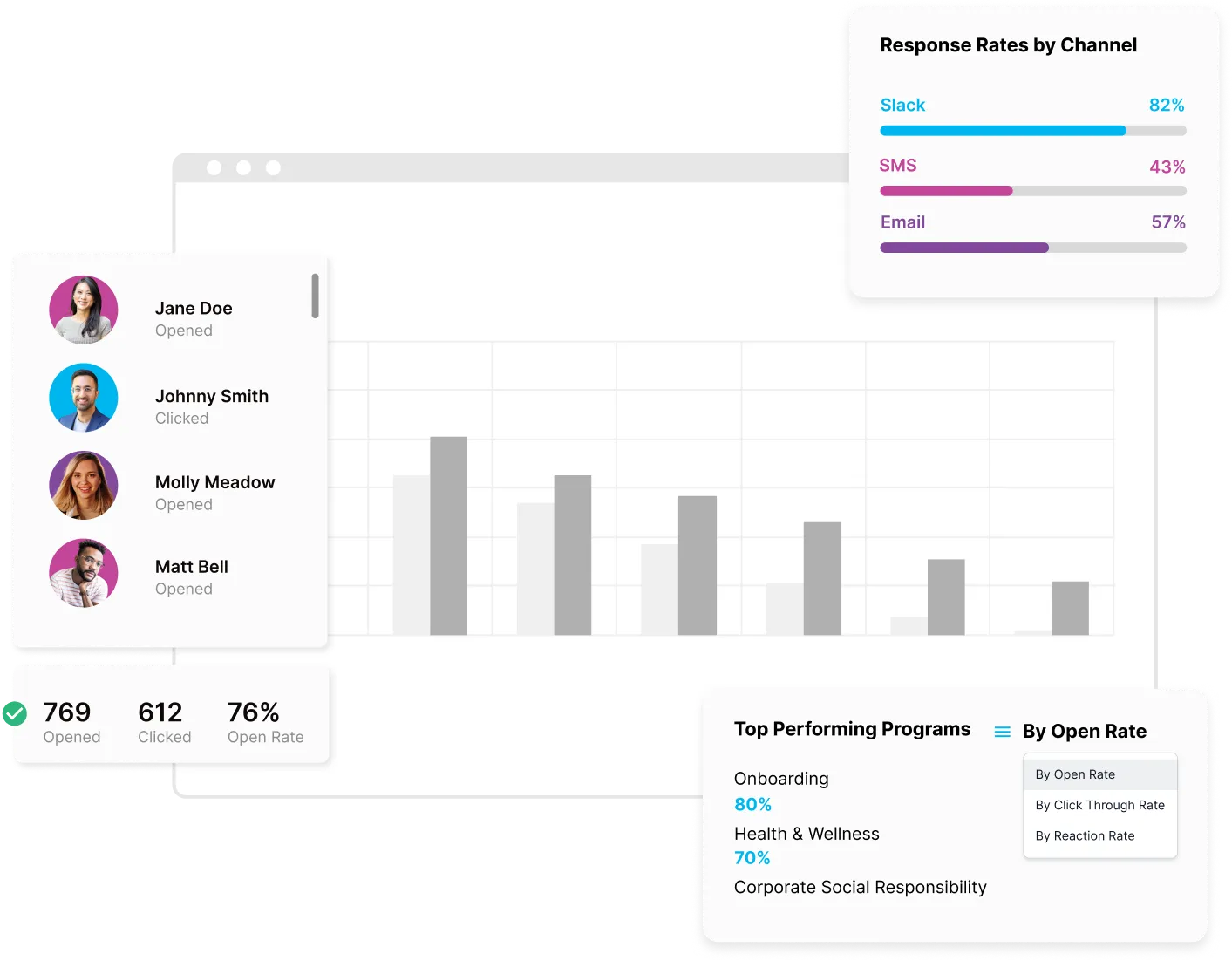
Reads, actions and completed setup steps by team, so you know who to chase before the deadline.
Most IT teams cobble together mass email, the intranet, a Teams bot, a survey tool and a spreadsheet for every rollout, and adoption still stalls. ChangeEngine replaces that stack with one governed platform that runs on your HR and directory data. Fewer vendors to review. Fewer integrations to maintain. Nothing new for employees to log into.

Rollout and security comms to every channel from one draft, with approvals.
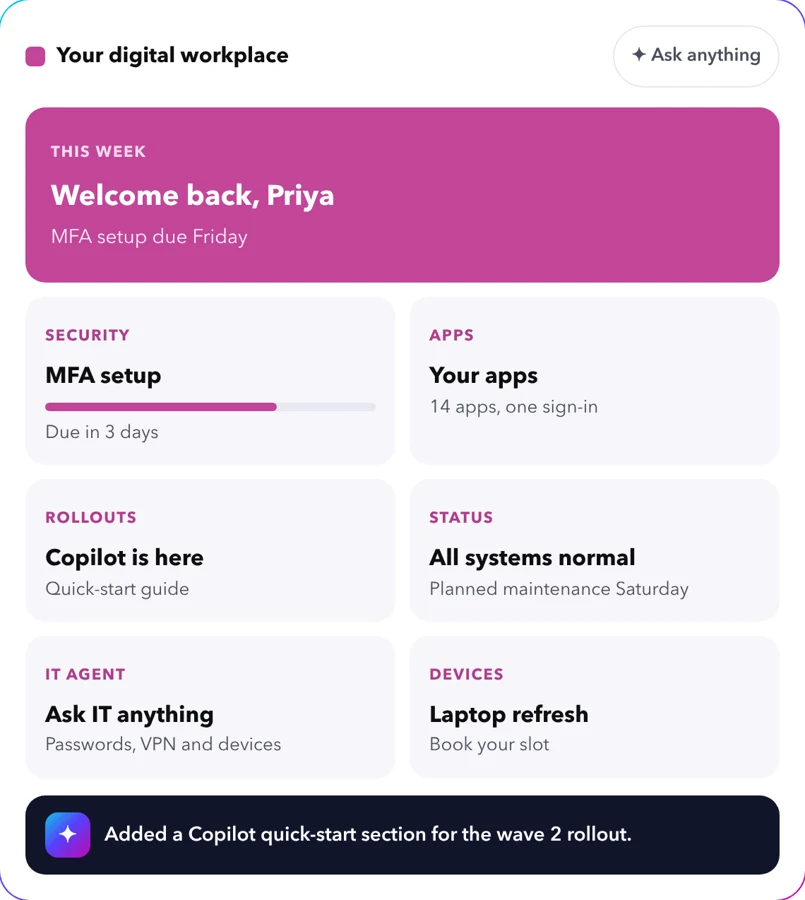
One governed front door for every app, policy and answer, built by chatting with AI.
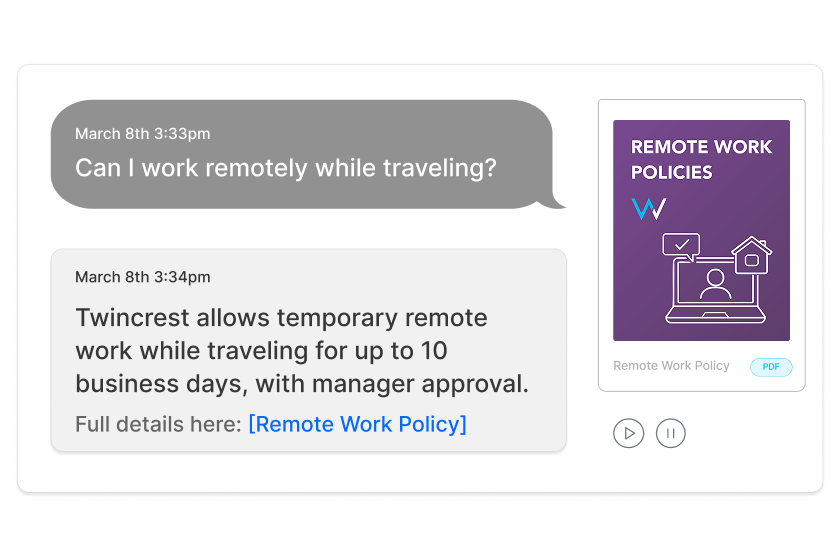
Policy-grounded answers in Teams and Slack, with role-based permissions.
.avif)
Waves, reminders and follow-ups as one sequence.

Post-rollout pulse checks, sliced by team and location.
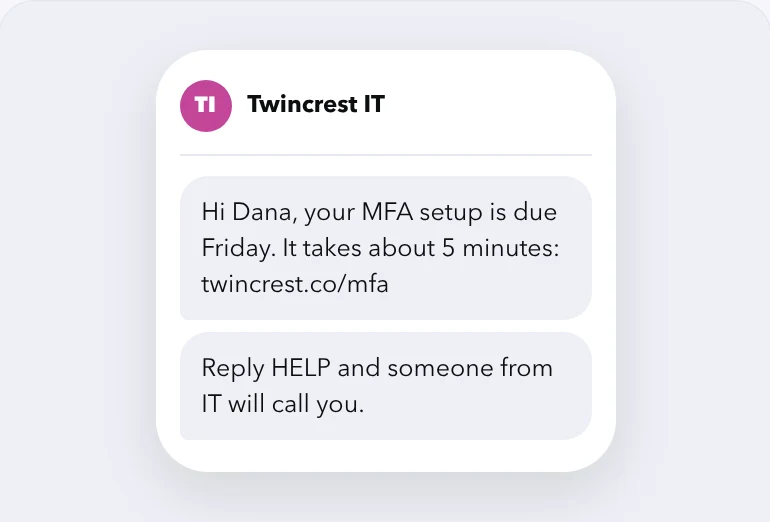
Outage and deadline alerts by text, with replies that come back.

Reads and actions on every rollout step, by team.
One vendor review, one SSO integration and one audit trail for every employee comm.
See digital adoption →Our forward deployed engineers work alongside your team and build what your rollouts need, from a self-serve IT hub to an AI tool request flow. It ships to spec, runs on the same governed platform, and we own adoption after launch.
Talk to an engineer →It coaches you on using AI in your own work, then helps you roll out Copilot, ChatGPT or Claude to the whole company with a real adoption program. Because AI adoption is a program, not a memo.
See AI adoption programs →Type a goal in plain English. The engine plans the moments, channels and audiences.
Every email, poster, Slack post and manager note arrives drafted in your brand and tone. Edit anything, then approve with your team.
Sends trigger off dates, rollout waves or HRIS and directory data and land in email, Teams, Slack and SMS at local time.
Reads, actions and completed setup steps roll up into one report by team and location.
"Roll out Microsoft Copilot to 1,400 people in three waves. Champions first, then managers, then everyone. Practical, not hype."
Each one comes with a playbook: the content, the journey, the channels and the metrics. Start from it or describe your own.
Laptop, accounts and day-one setup steps.
Announce, train and reinforce every new tool.
Phishing debriefs, MFA and policy reminders.
Brief the people who help everyone else.
Status alerts by SMS, Teams and email.
Schedules, booking links and reminders by site.
Roadmaps, FAQs and manager talking points.
Drive AI tool adoption and prove the ROI.
Build the rollout once: the pre-brief, the launch, the training invites and the reminders. Each step lands on the right channel at the right time, triggered by a date, a wave or an HRIS event. Then ChangeEngine shows you who never acted and automatically chases only those people.

The ChangeEngine MCP server plugs into the AI assistant your company already approved. Ask in plain English and it drafts in your brand, builds the audience from HRIS fields, schedules the send and reports back. Your roles and approvals stay in charge.


MCP (Model Context Protocol) is the open standard AI assistants use to connect to business systems.
Remind everyone in the London office who has not set up MFA that the deadline is Friday. Teams and SMS, send Monday 9am local.
Done. It is waiting for your approval in ChangeEngine.
Examples built in ChangeEngine for a sample brand. Yours start from your logo, colors and voice.

One-pagers and FAQs that cut help desk tickets.

Bite-size steps for every new tool.

Talking points and checklists for champions and managers.

Go-to guides for mastering each system.

Awareness campaigns that make new tools land.
Deadline reminders that reach people before access breaks.
Describe your stack and Employee Hub AI builds a governed hub in minutes: every app, how-to, policy and status update, behind your SSO. One front door instead of a dozen bookmarks and a help desk queue. It opens on any phone, no app store required.


"Sending personalized internal communications has never been easier."

"Create beautiful, practical and action-orientated communications."


Write it once. Rollout and security comms go where each person actually reads: Outlook, Teams or Slack at the desk, SMS or WhatsApp for field and shift teams, and the mobile hub for everyone. Nothing new for IT to deploy or support.
 Outlook
 Gmail
Gmail Microsoft Teams
 Slack
Slack SMS
SMS WhatsApp
 SharePoint
 Mobile push
 QR posters
Champions and managers get talking points, quick-start guides and their team's progress right in Teams, Slack or email. They answer the first questions, so your help desk does not have to.

The unglamorous parts that decide whether a rollout reaches the right people, on time, with an audit trail.

Audiences come straight from HRIS fields like country, role and manager, and stay current as people move.

Send at 9am in every office, in every language your teams read.

Drafts, edits and sign-off with role-based access, so legal and leadership see it before anyone else does.

Reads, clicks and reactions per person and per channel, so follow-ups go only where they are needed.

Workday, ADP, BambooHR, UKG, Rippling, SAP and more keep every field in sync.

Email, Slack, Teams and SMS from the same message, formatted for each.
In-app guides only reach people already in the tool, and email tools stop at the send. ChangeEngine gets people into the tool in the first place, and proves they got there.
Reads, actions and completed setup steps by team, location and channel, so you can show which rollouts landed and who needs a second push.
"The analytics and customization tools helped us double employee engagement metrics in a single quarter."

"I have been a client for three years and continue to be impressed by their technology, client experience team, and innovative mindset. ChangeEngine has an expansive and ever-growing content library, a powerful AI tool, and a dedication to communication and culture enhancement that is world-class."

"I can finally organize all our programs and visualize moments and communications in a single platform. I can give visibility to the C-suite to showcase how we are thinking about employee journeys."

"It strengthens clarity, builds trust, and drives impact across the entire organization. This is the kind of innovation that takes communication from transactional to transformational."

"ChangeEngine continues to impress me with new and creative ways of engaging my team. We started using the tools to help with benefits enrollment and birthday announcements. Today, we have separate campaigns for new acquisition communications, new team member engagement, work anniversaries and regular video updates."

"I took a deep dive into several of our CE sends just last week to find the same 60% open rate for our emails and 40% click rate for SMS! I was pleased with those numbers."

Our team starts designing your first content while IT connects your HRIS. No six-month rollout, and no new login for employees.

Logo, colors, fonts and tone set once. Every template and AI draft starts there.
SSO, Active Directory and your HRIS sync the audiences your rollouts need.
Your first rollout sequence live, reviewed by your team.
Reads, actions and setup steps by team and location, ready to forward.
There is no new app for employees, no code to maintain and nothing to host. ChangeEngine connects to the systems IT already runs through standard, auditable integrations.
SOC 2 and ISO 27001 certified and GDPR compliant, with documentation ready in the Trust Center.
SAML or OAuth single sign-on with optional 2FA. Employees reach the hub with Google or Microsoft sign-in.
Encryption in transit and at rest, with data residency in the US, EU or Canada. Content is generated inside your ChangeEngine environment.
The MCP runs inside the assistant you already approved and acts with the signed-in user's permissions. Nothing sends without an approval.
Workday, ADP, BambooHR, UKG and 75+ more, plus Active Directory, Teams, Slack and SharePoint, all through standard APIs.
Role-based permissions and approval steps, so comms, legal and leadership sign off before anything goes out.
Yes. SSO through SAML or OAuth, Active Directory and 75+ HRIS integrations including Workday, ADP, BambooHR and UKG. Most teams are live in 7 to 10 business days.
Personal Tone AI learns your voice and brand. Every draft is reviewed by a person before it sends.
No. Nothing to install on devices, no app to push and nothing to host. Messages land in email, Teams, Slack and SMS.
SOC 2, ISO 27001, GDPR, SSO and US, EU or Canadian data residency.
Encrypted in transit and at rest, with data residency in the US, EU or Canada. Documentation is ready in the Trust Center.
It runs inside the AI assistant you already approved and acts with the signed-in user's permissions. Nothing sends without an approval.
Yes. Role-based permissions and approval steps decide who can draft, approve and send to which audiences.
Outlook, Teams, SharePoint, Slack, Gmail, Active Directory and 75+ HRIS, all through standard APIs.
Reads, clicks, reactions and actions by team, location and channel, your top-performing messages, and survey results you can export for leadership.
Our team can start designing content right away. Most teams are fully set up, integrations included, in 7 to 10 business days.
Run internal comms like a marketing team, with the playbook to prove it.
What IT should check before anyone signs.
Where AI and automation help rollouts land.
Where AI actually saves People teams time today.
We'll build the adoption sequence live on the call, off your real directory and HRIS fields.


