7 Best SharePoint Alternatives for Comms Teams 2026

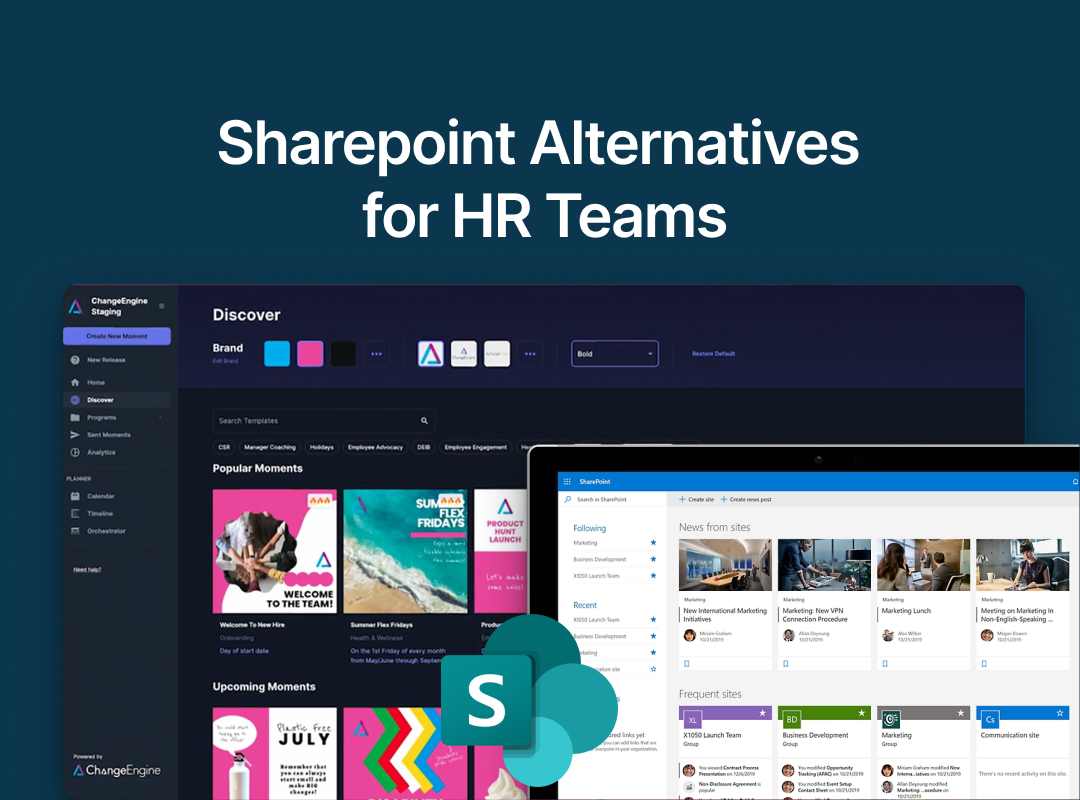
The best SharePoint alternative depends on what SharePoint is failing at. It stores files well, so if the real problem is that announcements never reach anyone, you may not need to replace it at all. Keep SharePoint for documents and add a comms layer like ChangeEngine that pushes updates to email, Slack, Teams and SMS. If you want a genuinely new intranet, Simpplr or Staffbase replace SharePoint outright, and Powell improves it without leaving Microsoft 365.
SharePoint comes bundled with Microsoft 365, which is exactly why so many companies end up with it as their intranet and so many regret it. It is a capable document store. As an employee-facing front door it tends to fail the same way every time: complex to configure, expensive to customize, and quietly abandoned because employees never form the habit of visiting it.
The problem is that SharePoint does two very different jobs, and teams go shopping to replace both when usually only one is broken. This guide separates them, then covers seven alternatives across three genuinely different paths, and is honest about where each fits, including our own.
First, decide which of SharePoint's two jobs is actually broken
SharePoint is a filing cabinet and a noticeboard at once. The filing cabinet, document storage, version control, permissions inside your Microsoft tenant, usually works fine. The noticeboard, getting announcements and campaigns in front of people, is what collapses. Most teams do not need to rip out the filing cabinet to fix the noticeboard.
Three questions point you to the right path:
- Are files hard to find, or are updates not landing? If documents are fine but nobody sees your announcements, that is a reach problem. Replacing the whole platform to fix reach is expensive overkill.
- Are you staying in Microsoft 365 or leaving it? If you are staying, an enhancement layer or a comms layer beats a full rebuild. If you are moving to Google Workspace, a full replacement makes sense.
- How much of your workforce is frontline? SharePoint reaches roughly none of your deskless staff. If that is a big share of your people, any browser-first replacement inherits the same blind spot.
This produces three paths. Keep SharePoint and add reach. Enhance SharePoint so people use it. Or replace it entirely. The list below is grouped that way.
The 7 best SharePoint alternatives at a glance
Path 1: Keep SharePoint, add a layer that reaches people
1. ChangeEngine: best for teams whose SharePoint stores files fine but reaches no one
The cheapest fix for a failing SharePoint intranet is often not to replace it. If SharePoint works as a document store and only fails at reaching people, ChangeEngine connects to it and handles the part it is bad at: getting comms in front of employees where they already are, in email, Slack, Teams and SMS, with reporting on who opened and acted.
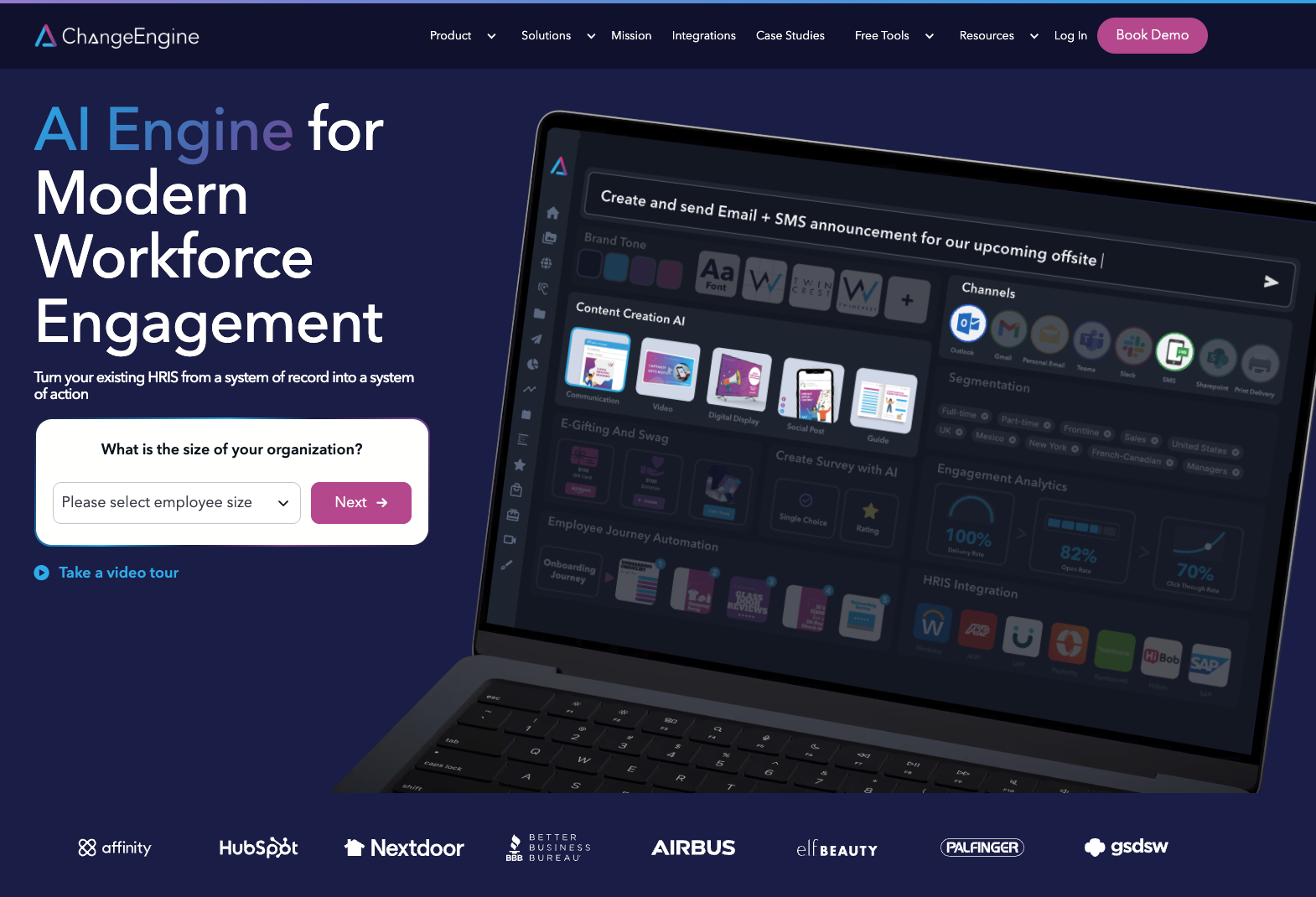
For HR and internal comms teams, the difference from every intranet on this list is that ChangeEngine produces the communications rather than housing them. The AI Content Studio generates branded announcements, newsletters and campaigns from a short prompt. The Journey Builder triggers them off HRIS events. One message becomes an email, a Slack post, a poster and an SMS, all measured. SharePoint stays as the searchable document library it is good at being, and stops being the thing you nag people to visit.
This suits the common situation exactly: a Microsoft 365 shop with a SharePoint intranet nobody opens, a distributed or frontline workforce, and a lean People team. Comms reach 5x faster program adoption because the message goes to people instead of waiting for them to arrive.
Standout: It integrates with SharePoint, so you keep your document investment and fix reach without a rebuild or a migration.
Watch out for: It is not a document management system or a knowledge base, by design. If your SharePoint problem is genuinely search and file structure rather than reach, ChangeEngine is the wrong tool on its own. It also needs a connected HRIS to trigger journeys, and it fits organizations of roughly 500 employees and up.
Path 2: Enhance SharePoint so people actually use it
2. Powell Intranet: best for Microsoft-committed orgs wanting better SharePoint UX
Powell is a SharePoint and Microsoft 365 enhancement layer, not a replacement. It adds a modern, customizable front end on top of your existing SharePoint, with templates, governance tools, better search and audience-targeted publishing across the intranet, email and Teams. Your content and permissions stay inside your Microsoft tenant.
For an organization committed to Microsoft that mainly needs SharePoint to look and work better, Powell fills the roughly 20% gap between out-of-the-box SharePoint and a polished digital workplace without a migration.
Standout: A ready-made intranet experience built natively on SharePoint, which keeps your Microsoft investment intact.
Watch out for: It is still deeply tied to SharePoint, so it usually needs SharePoint knowledge or partner support to run, and it is less relevant outside the Microsoft ecosystem. It also inherits SharePoint's weak reach to frontline staff.
Path 3: Replace SharePoint with a modern intranet
3. Simpplr: best for desk-based knowledge workers
Simpplr is the AI-native modern intranet, recognized as a leader by Gartner and Forrester. It replaces SharePoint outright with clean design, personalized content delivery and automated governance, directly targeting the content rot and poor search that sink older SharePoint intranets.
For a mostly desk-based knowledge-worker population leaving SharePoint behind, it is one of the strongest replacements available.
Standout: AI-driven personalization and automated governance that keep content current without constant manual upkeep.
Watch out for: It is still a destination employees have to choose to visit, its strength is desk-based rather than frontline, and pricing is custom and aimed at mid-to-large enterprise. Replacing SharePoint entirely is also a bigger project than layering onto it.
4. Staffbase: best for enterprise internal comms teams
Staffbase is built for internal communicators rather than IT, which makes it the closest full replacement to a comms mindset. It combines a branded employee app, email newsletters, an intranet and digital signage, with analytics across all of them, and reaches frontline staff through the app in a way SharePoint cannot.
It has strong adoption among large enterprises, particularly in Europe.
Standout: Multi-channel publishing with real measurement, plus a branded app that reaches deskless staff.
Watch out for: It is an enterprise platform with enterprise pricing and setup, and the app still asks employees to adopt a new destination. For a mid-market team it can be heavier than the problem needs.
5. Workvivo: best for culture and engagement
Workvivo, owned by Zoom, takes the social-feed approach and can either replace SharePoint or complement it by adding an engagement layer on top of a document-heavy setup. It is built around community, recognition and a familiar social experience, with a mobile-first design that reaches frontline teams.
If your goal is a livelier, more connected culture rather than a tidier document tree, it lands well.
Standout: A social feed and recognition experience employees genuinely engage with, plus strong frontline reach.
Watch out for: The engagement-feed model suits culture-building more than structured, must-read comms, and measurement of whether critical messages reached everyone is weaker than a comms-first tool.
6. Happeo: best for orgs moving to Google Workspace
Happeo is the natural SharePoint replacement for organizations that run, or are moving to, Google Workspace rather than Microsoft 365. It delivers a modern intranet with social features and unified search across documents and people, integrated deeply with Gmail, Drive and Calendar.
For a Google-first company, it removes the awkwardness of running a Microsoft intranet on top of a Google productivity stack.
Standout: Deep Google Workspace integration, which Microsoft-oriented intranets cannot match.
Watch out for: The Google alignment that is its strength is a poor fit for Microsoft 365 shops, which is where most SharePoint users sit. It is also a browser-first destination with limited frontline reach.
7. Connecteam: best for frontline and deskless-only teams
Connecteam is mobile-first and built for deskless workforces, pairing a lightweight hub with scheduling, time tracking and task management in one app. For a retail, hospitality or field operation where SharePoint reached nobody because nobody had a laptop, meeting people on their phones is the whole point.
It is genuinely strong at the frontline problem and priced for that segment.
Standout: A mobile hub that reaches hourly and field staff SharePoint never could.
Watch out for: It is frontline-first and does not span desk and frontline populations well from one experience. Organizations with both will likely run it alongside something else, and it is a lighter knowledge store than SharePoint.
How we chose these tools
SharePoint alternatives solve three different problems, so a flat ranking would mislead. These seven were chosen to represent the real decision, against four tests:
- Maps to a path. Each tool clearly belongs to one of the three routes: add reach, enhance SharePoint, or replace it.
- Honest about Microsoft. Whether a tool works with, enhances or replaces Microsoft 365 is stated plainly, because that single fact rules most options in or out.
- Proven at mid-market scale, roughly 500 to 10,000 employees, where an abandoned SharePoint intranet is a common and costly problem.
- Clear on frontline reach, because SharePoint's biggest blind spot is deskless staff and a replacement that shares it fixes nothing.
ChangeEngine publishes this guide, so its entry states plainly what it is not: a document store or knowledge base. It fixes reach and pairs with SharePoint rather than replacing it.
Frequently asked questions
What is the best alternative to SharePoint?
There is no single best alternative, because SharePoint failures fall into three types. If the problem is reach, a comms layer like ChangeEngine that works alongside SharePoint fixes it without a migration. If it is usability, an enhancement layer like Powell helps. If you want a clean break, Simpplr or Staffbase replace SharePoint entirely.
Why do companies replace SharePoint as an intranet?
Companies replace SharePoint mostly because of low employee adoption, not missing features. Despite being bundled with Microsoft 365, it is complex to configure, carries hidden customization costs, and is hard to keep current, so employees stop visiting it. The underlying issue is usually reach and usability rather than document storage, which SharePoint handles well.
Can you keep SharePoint and still fix internal comms?
Yes, and it is often the cheapest fix. SharePoint is a solid document store, so if the real problem is that announcements never reach people, you can keep it for files and add a comms layer that pushes updates to email, Slack, Teams and SMS. ChangeEngine connects to SharePoint and does exactly this, with reporting on what actually landed.
Is SharePoint good for internal communications?
SharePoint is good at storing and organizing documents but weak at internal communications, because it relies on employees choosing to visit a site to see updates. Announcements posted there are easily missed, and it offers little measurement of whether messages reached anyone. Most teams pair it with, or replace it by, a tool built to push and track comms.
What is the best SharePoint alternative for frontline workers?
For a purely frontline workforce, a mobile-first app like Connecteam reaches hourly staff on their phones. For organizations with both frontline and desk employees, a reach-based tool like ChangeEngine is stronger, because it delivers the same message by SMS to frontline staff and by email, Slack or Teams to desk staff from one program, which SharePoint cannot do at all.
About ChangeEngine
ChangeEngine is marketing automation for HR and People teams. It connects to the tools you already run, including SharePoint, Slack and Teams, and sends internal comms to email, Slack, Teams and SMS, triggered off HRIS events and measured end to end. One message becomes a branded email, a Slack post, a poster and an SMS. ISO 27001, SOC 2 and GDPR compliant, with integrations across Workday, ADP, BambooHR and 75+ others.
Book a demo to see comms reach your whole workforce without ripping out SharePoint.