Best Connecteam Alternatives for 2026

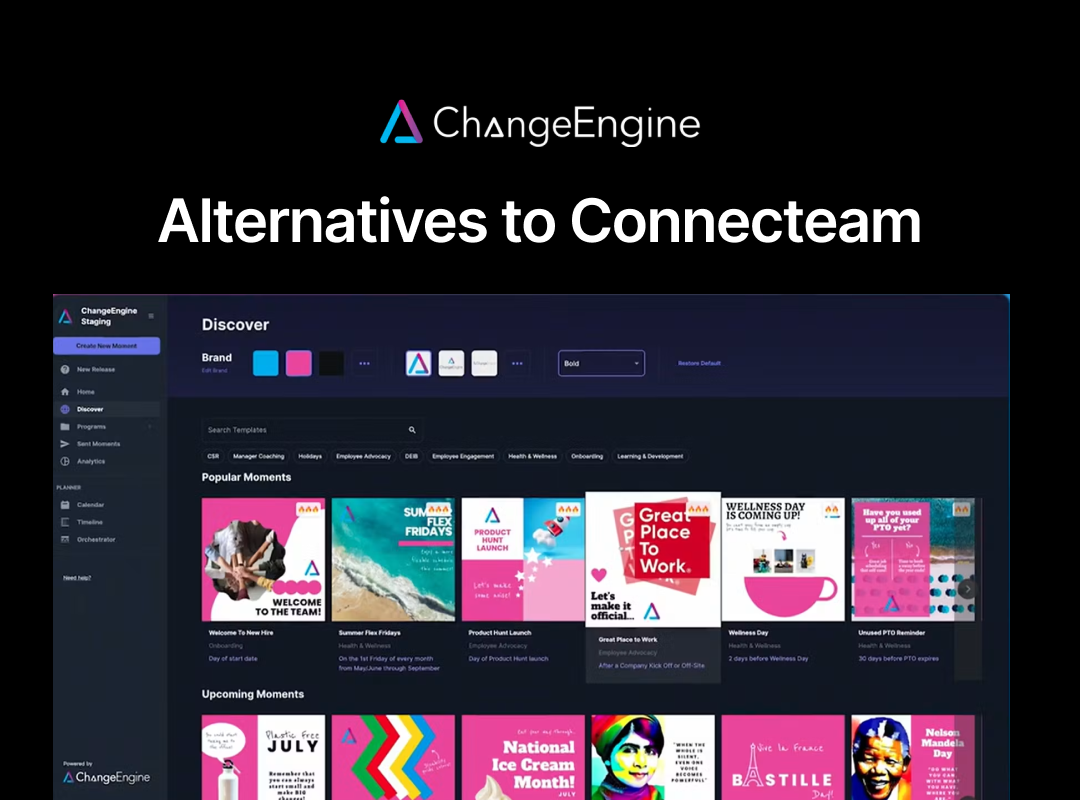
The strongest Connecteam alternatives in 2026 are ChangeEngine for teams that have outgrown Connecteam's frontline-only scope and need HRIS-triggered comms across desk and deskless staff, Deputy for operations that need compliance-grade scheduling, and Beekeeper for large frontline enterprises needing comms plus HR system integrations.
Connecteam packs scheduling, GPS time tracking, task management and team chat into three separate hubs, with a free plan for the first ten users. That combination made it the default pick for thousands of small deskless teams, and it is also exactly why teams that grow past a certain size start looking elsewhere.
This guide covers nine platforms that come up when operations, HR and comms leaders search for a Connecteam alternative. Each entry names who it actually fits, what it does well, where it falls short and what it costs, so you can tell in one sitting whether you need a different workforce tool or a different category of software entirely.
Why do operations and HR teams look for a Connecteam alternative?
Connecteam is a mobile-first app for deskless teams that bundles scheduling, GPS time tracking, task management, training and team communication into three separate hubs: Operations, Communications, and HR & Skills. Teams move away from it for reasons of scope and structure rather than price.
Four patterns come up repeatedly:
- Hub pricing multiplies as you grow. Operations, Communications and HR are each their own subscription. Want all three? You are paying for three separate plans on top of each other, and the free tier disappears the moment you cross ten users.
- Comms is a feature, not the product. The Communications Hub covers a newsfeed, chat and surveys, but there is no lifecycle automation behind it. Onboarding, anniversaries and open enrollment still need someone to remember to send them.
- It stops at the frontline. Connecteam assumes everyone is in the app. Once your workforce includes office staff who live in email, Slack or Teams, there is no single system that reaches both groups.
- Reporting and reliability get basic fast. Reviewers on G2 and Capterra consistently flag limited native integrations, basic reporting outside the top tier, and inconsistent push notification delivery once a team scales past a handful of locations.
If your whole operation is deskless, under a few hundred people, and you need one affordable hub for shift chatter and clock-ins, Connecteam is still hard to beat on price. If your comms or People function has outgrown scheduling software, the platforms below solve a different problem.
The 9 best Connecteam alternatives at a glance
The 9 best Connecteam alternatives: our top picks
1. ChangeEngine: best for mid-market teams unifying desk and deskless comms with lifecycle automation
Why we picked it: ChangeEngine solves a problem Connecteam was never built for: once your workforce is a mix of frontline and office staff, or once you have crossed a few hundred employees, you need one system that reaches everyone, not a shift app plus something separate for the office. Messages go out as branded email, Slack and Teams posts, SharePoint content, SMS and printable posters, and full programs like onboarding, anniversaries and open enrollment fire automatically off HRIS events rather than a hub calendar.
Best for: Organizations of 500 to 10,000 employees with a distributed or frontline workforce, where a named People, Internal Comms or Employee Experience leader owns engagement targets and needs one system across desk and deskless staff.
Key features: Multi-channel comms orchestration across email, Slack, Teams, SharePoint and SMS. HRIS-triggered lifecycle automation built on Workday, ADP, BambooHR and Active Directory events. An AI content studio with 5,000+ templates covering emails, guides, posters and infographics. Engagement analytics by department, region, job level or tenure, exportable for board decks.
Results customers report: save around 20 hours per new hire, 5x faster program adoption, and roughly 60% less onboarding admin.
Watch out for: No shift scheduling, no GPS time clock and no task checklists. If scheduling and time tracking are the actual job to be done, Connecteam or Deputy still does that better. Below 500 employees there usually is not enough program complexity to justify it.
Pricing: Quote-based, with entry packages that begin at content creation rather than the full platform. Most teams are live in under two weeks.
Compliance: ISO 27001, SOC 2, GDPR, SSO via SAML or OAuth, and US, EU or Canadian data residency.
2. Deputy: best for compliance-heavy scheduling and time tracking
Why we picked it: Deputy's break and overtime rules handle jurisdictional wage law automatically, and its demand-based auto-scheduling and payroll integrations (Xero, Gusto, ADP, Square) go deeper than Connecteam's Operations Hub. Teams that need scheduling to survive a labor audit tend to land here.
Best for: Hospitality and healthcare operators where scheduling compliance carries real audit risk.
Watch out for: Pricing is strictly per user with a monthly minimum spend, so headcount growth raises the bill directly. There is no permanent free plan, and comms features are thin since Deputy is a scheduling tool, not a communications platform.
Pricing: Per user, from about $5/month for the Lite plan up to $9/month for Pro.
3. When I Work: best for small business scheduling with built-in team messaging
Why we picked it: It undercuts almost everyone on price at $2.50 per user per month for a single location, and reviewers consistently rate it the easiest scheduling tool to get staff onto without training.
Best for: Small retail and restaurant teams that want scheduling, time tracking and basic team chat without Connecteam's three-hub structure.
Watch out for: There are no HR or lifecycle features at all, and the messaging is built for shift coverage, not company-wide comms.
Pricing: Per user, from $2.50/month for a single location, $5/month for multi-location.
4. Homebase: best for single-location retail and hospitality teams needing hiring and payroll
Why we picked it: Homebase bundles scheduling, time tracking, hiring tools and a payroll add-on behind a genuinely free plan for one location, which makes it a common first stop for very small operators.
Best for: A single-location shop or café that needs to hire, schedule and run payroll without stitching together three separate tools.
Watch out for: Pricing is per location, not per employee, so a five-location business pays for five subscriptions even with a small combined headcount.
Pricing: Free for one location up to 20 employees. Paid plans from $24.95 per location per month.
5. 7shifts: best for restaurant teams needing labor cost control
Why we picked it: 7shifts builds specifically for restaurants: tip pooling, sales-driven forecasting and labor law compliance for California, New York and DC come standard once you are past the free tier.
Best for: Multi-location restaurant groups that need forecasting tied to point-of-sale data.
Watch out for: It is restaurant-specific, so outside food service the feature set does not transfer, and pricing is per location so multi-site groups add up fast.
Pricing: Free for one location. Paid plans from $39.99 per location per month.
6. Beekeeper: best for mid-market to enterprise frontline comms with HR integrations
Why we picked it: Beekeeper is the closest thing on this list to Connecteam's Communications Hub, but built for organizations with thousands of frontline employees rather than dozens, with HRIS and learning-system integrations Connecteam does not offer.
Best for: Hospitality, retail, manufacturing and healthcare organizations with a large frontline population and a dedicated comms function to run it.
Watch out for: It is a comms and engagement platform, not scheduling or time tracking, so you will still need an operations tool running alongside it.
Pricing: Free up to 30 users, then quote-based.
7. WorkJam: best for large enterprise frontline operations
Why we picked it: WorkJam's AI-driven task orchestration connects directly to workforce management and HRIS systems like UKG and ADP to route work, verify completion and adjust in real time. Very large retailers running thousands of locations rely on it.
Best for: Enterprises above 10,000 frontline employees with existing workforce management infrastructure to plug into.
Watch out for: This is enterprise-tier software with enterprise-tier implementation weight. Mid-market teams evaluating this alongside Connecteam are looking at the wrong level of product.
Pricing: Quote-based, enterprise tier.
8. Blink: best for frontline-first organizations wanting one mobile comms hub
Why we picked it: Blink is built mobile-first around a feed, a content hub and single sign-on access to workplace tools, for organizations where nobody has a work inbox.
Best for: Healthcare, retail and field-service organizations that are genuinely mobile-only and want comms without adding scheduling on top.
Watch out for: No scheduling, time tracking or task management. You are running Blink alongside whatever already handles operations, not instead of it.
Pricing: Per user, from about $4.50/month, with custom enterprise pricing above 1,000 users.
9. Staffbase: best for enterprises needing an app, intranet and signage in one contract
Why we picked it: If your ambitions have grown well past shift comms into a branded employee app, an intranet and digital signage across a large headcount, Staffbase covers all three under one contract.
Best for: Large enterprises with an internal comms function big enough to run an app rollout.
Watch out for: It is priced and built for enterprise scale. A team using Connecteam today is very unlikely to be ready for Staffbase's implementation weight.
Pricing: Quote-based, enterprise tier.
What should you look for in a Connecteam alternative?
The right Connecteam alternative depends on which job you are actually replacing: scheduling, comms, or both. Answer these five before you take a demo.
- Are you replacing operations or comms? Deputy, When I Work, Homebase and 7shifts replace scheduling and time tracking. ChangeEngine, Beekeeper, Blink and Staffbase replace comms and engagement. Very few tools do both well.
- Does it reach people without a Connecteam login? Once you have office staff too, check whether the platform sends into email, Slack or Teams, not just its own app.
- Does it read your HRIS? Named integrations with Workday, ADP, BambooHR or Active Directory decide whether onboarding and milestone programs run themselves or need someone to remember them.
- What happens to the bill as you add hubs, locations or users? Per-hub, per-location and per-user pricing all scale differently. Model your actual headcount and site count before you sign, not just today's number.
- Do you still need scheduling once you switch? Comms-only platforms assume something else handles shifts and time clocks. Check whether you are replacing Connecteam or just its Communications Hub.
How we chose these Connecteam alternatives
We built this list from the platforms operations, HR and comms teams actually put next to Connecteam in evaluations, drawn from review-site comparison data and buyer conversations. Each was assessed on whether it replaces scheduling, comms or both, its pricing model at realistic headcounts, HRIS integration depth, and fit by company size.
The ordering reflects one specific buyer: a People, Internal Comms or Operations leader whose team has grown past what a single scheduling-and-chat hub can support. WorkJam and Staffbase rank lower here despite being strong products, because they are enterprise-tier tools most teams reading this page are not yet sized for. ChangeEngine publishes this comparison and has said plainly where it is the wrong choice: this is not scheduling software, so if that is the job you need done, Deputy, When I Work, Homebase or 7shifts are the honest answer.
FAQs: Connecteam alternatives
Q: What is the best Connecteam alternative? A: It depends what you are replacing. ChangeEngine suits teams that have outgrown Connecteam's frontline-only scope and need comms plus lifecycle automation across desk and deskless staff. Deputy and When I Work suit teams that just want better scheduling. Homebase and 7shifts suit single-location retail and restaurant operators.
Q: Why do companies leave Connecteam? A: The most common reasons are hub pricing multiplying as teams add Operations, Communications and HR separately, comms features that stop at shift updates rather than full employee campaigns, no reach into email, Slack or Teams for office-based staff, and basic reporting once a business outgrows the free tier.
Q: Is there a cheaper alternative to Connecteam? A: When I Work starts at $2.50 per user per month, and 7shifts and Homebase both offer free single-location plans, but all three are scheduling tools rather than full comms platforms. For a team with more comms needs than scheduling needs, ChangeEngine's entry packages start at content creation rather than a full platform commitment.
Q: How does ChangeEngine compare to Connecteam? A: Connecteam is built for scheduling, time tracking and basic chat inside one deskless-focused app. ChangeEngine is built for comms and lifecycle programs across your whole workforce, desk and deskless, triggered off HRIS events rather than a hub calendar. Most teams that outgrow Connecteam keep a scheduling tool running alongside ChangeEngine rather than replacing it outright.
Q: Do I need to give up scheduling to use ChangeEngine? A: No. ChangeEngine does not do scheduling or time tracking, so teams that need both typically keep Deputy, When I Work or their existing scheduling tool in place and add ChangeEngine for comms and lifecycle automation.
About ChangeEngine
ChangeEngine is marketing automation for HR and People teams. It turns one message into a branded email, a Slack or Teams post, an SMS and a printable poster, triggered automatically off HRIS events from Workday, ADP, BambooHR and Active Directory, with engagement analytics segmented by department, region, job level and tenure. Certified to ISO 27001 and SOC 2, GDPR-compliant, with SSO and US, EU or Canadian data residency. See how internal comms software for HR teams works, or book a demo.