ChangeEngine reads from Ascentis so audiences stay current, employees at every location hear what applies to them, and onboarding and milestones run themselves.





Ascentis offers HR, payroll, benefits and timekeeping software for mid-sized organizations.
See every integration →Employee, job title, department, location, manager, hire date, employment type, work email, mobile number and your custom fields.
You pick the fields that sync and whether the connection is read-only or also writes approved fields back to Ascentis. Sensitive fields report coverage only, never values, when your team asks an AI assistant about them.
Editors only see what their role allows, and every change is logged.
When something changes in your system of record, the right people hear about it on the right channel. Nobody on the People team presses send.
A new employee in Ascentis starts preboarding with a welcome, first-week details and a nudge to their manager.
Promotions and job changes trigger congratulations and move people into the right audiences.
Moving locations sends the new site's contacts and local updates.
The new manager gets a handoff and a prompt to say hello.
Work anniversaries trigger a manager message and an optional e-gift.
Offboarding steps go out on schedule, and leavers drop out of every audience after their last day.
Target Ascentis departments and employee types for benefits and policy updates, with follow-ups to only the people who missed them.
Every department, location and manager in Ascentis becomes a live audience. New hires are in on day one, and leavers drop out on their last.
A start date in Ascentis kicks off preboarding, day one and the first 90 days, with manager nudges built in.
Work anniversaries and promotions recorded in Ascentis trigger a message, a manager prompt or an e-gift on the day.
Merge first name, manager, location and role into every email, Slack/Teams post and text, so a company-wide update reads like it was written for one person.
Every read and click rolls up by the Ascentis fields you already track, ready for leadership without a spreadsheet.
Every person in Ascentis becomes one ChangeEngine profile. Departments, locations, managers and custom fields turn into audiences you can combine, and they update on every sync.
Mid-sized teams usually run a handful of programs on repeat: onboarding, benefits season, anniversaries and quarterly updates. Each one targets the right departments and locations and follows up with only the people who missed it.
Most teams start read-only. If you want ChangeEngine to send data back to Ascentis, you approve write access for specific fields, every change is logged, and you can switch it off at any time.
Your services team runs the setup with IT. When you need something that is not in the box, your forward deployed engineer builds it.
Meet the forward deployed engineer →Your Ascentis admin approves access for ChangeEngine, read-only or read and write. We send the exact permission checklist ahead of the call, so IT knows what it is signing off on.
On a working call, we map the Ascentis fields you want to use: department, location, manager and start date. You choose what comes across and what stays in Ascentis.
Audiences fill themselves from Ascentis, your first journeys switch on, and you see every person who could not be placed so you can fix the record at the source.
Your People team moves fast. Your IT team keeps control of every connection.
SOC 2 and ISO 27001. GDPR compliant, with data residency in the US, EU or Canada.
Single sign-on over SAML or OAuth, with optional two-factor authentication for editors.
SCIM provisioning, and content shown by HRIS attributes like role, location and employment type.
Employee data is encrypted in transit and at rest, and editors only see what their role allows.
Word-level audit logs, role-based editors, and AI providers contractually barred from training on your data.
Run your hub on your own subdomain, like central.yourcompany.com, with a couple of DNS records.


Yes. Send open enrollment and benefits updates by eligibility, then follow up automatically with the people who have not opened them.
Yes. Custom fields map the same way as standard ones, so you can target, personalize or trigger a program on anything your team already keeps up to date in Ascentis.
Most teams are live with HRIS and SSO in about two weeks. IT approves the connection, we map fields with you on a call, and your audiences fill themselves.
Yes. ChangeEngine is SOC 2 and ISO 27001 certified and GDPR compliant. Data is encrypted in transit and at rest, you choose US, EU or Canadian data residency, and AI providers are contractually barred from training on your data.
No. Messages land in the email, Slack/Teams and text threads people already use, and the hub opens from a link. Editors sign in with a one-time code, and IT can add SSO.
Yes, if you want it to. Most teams start read-only. You can turn on write access for the specific fields you approve, every change is logged, and Ascentis stays your system of record.
The ChangeEngine MCP connects the assistant your company already approved. Build audiences from this integration's data, draft a send or pull last week's read rates in plain words. A person on your team publishes every send.
Explore the ChangeEngine MCP →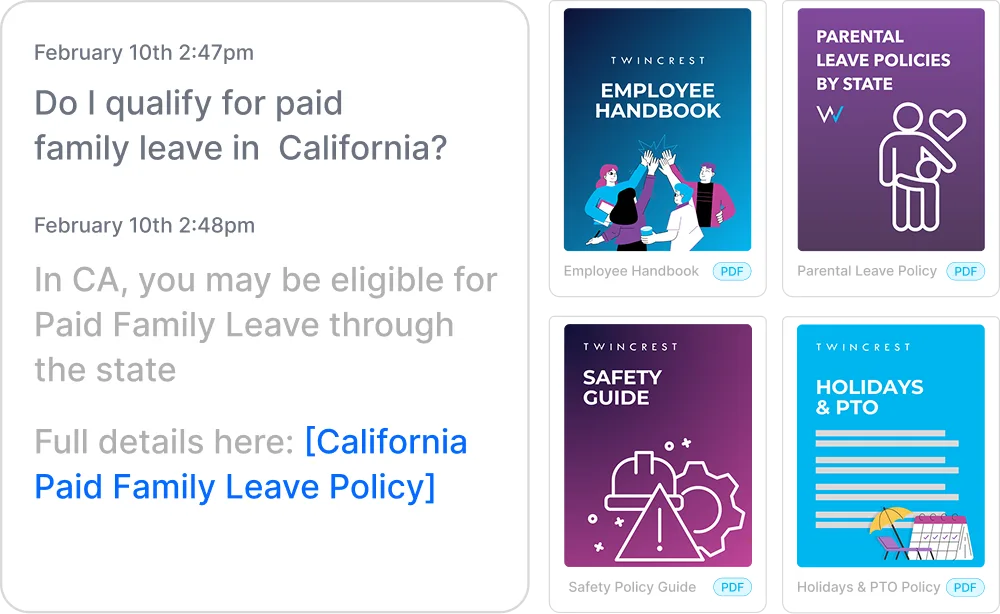
Instant, policy-grounded answers in the hub and Slack/Teams.
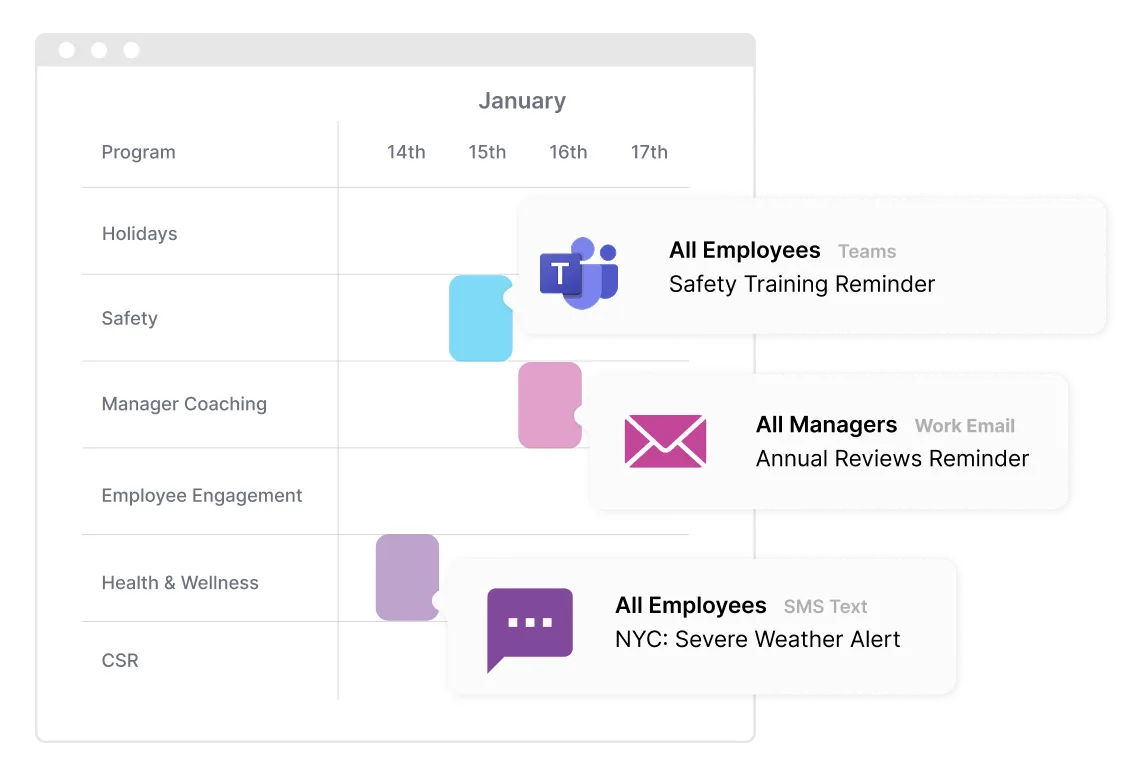
One message, every channel, timed to each person.
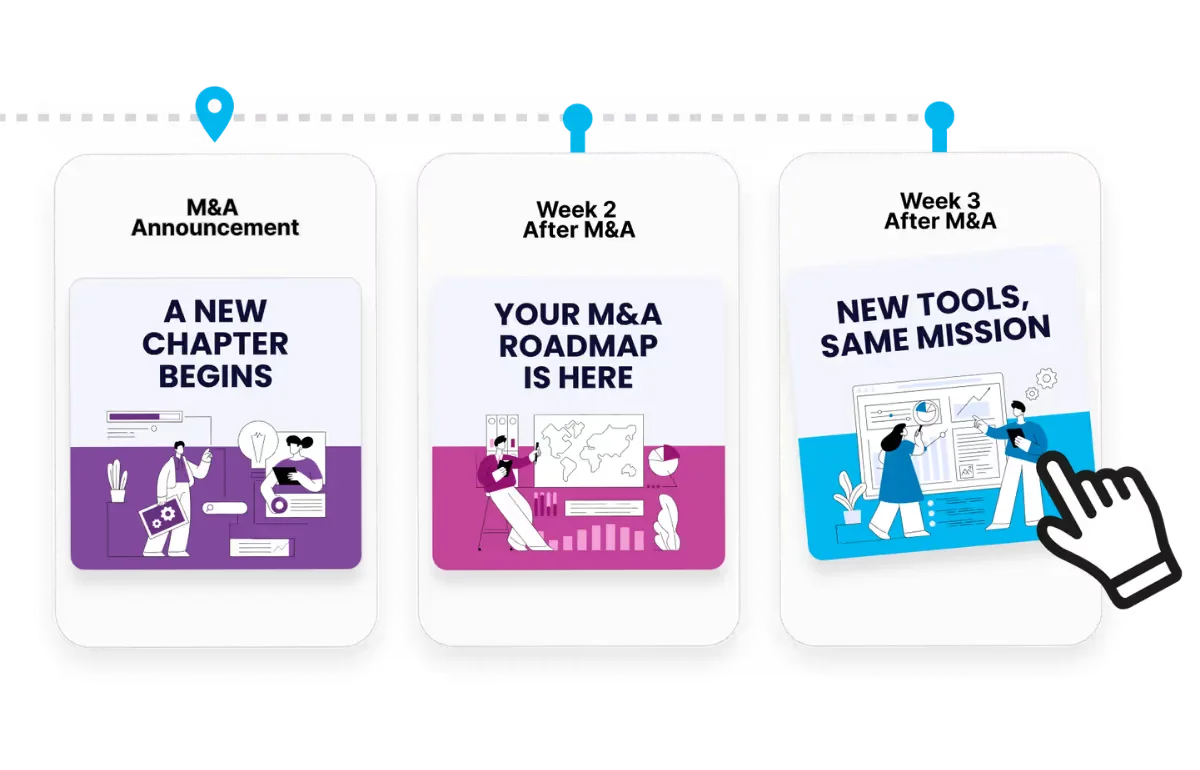
Onboarding to offboarding, triggered by your HRIS.
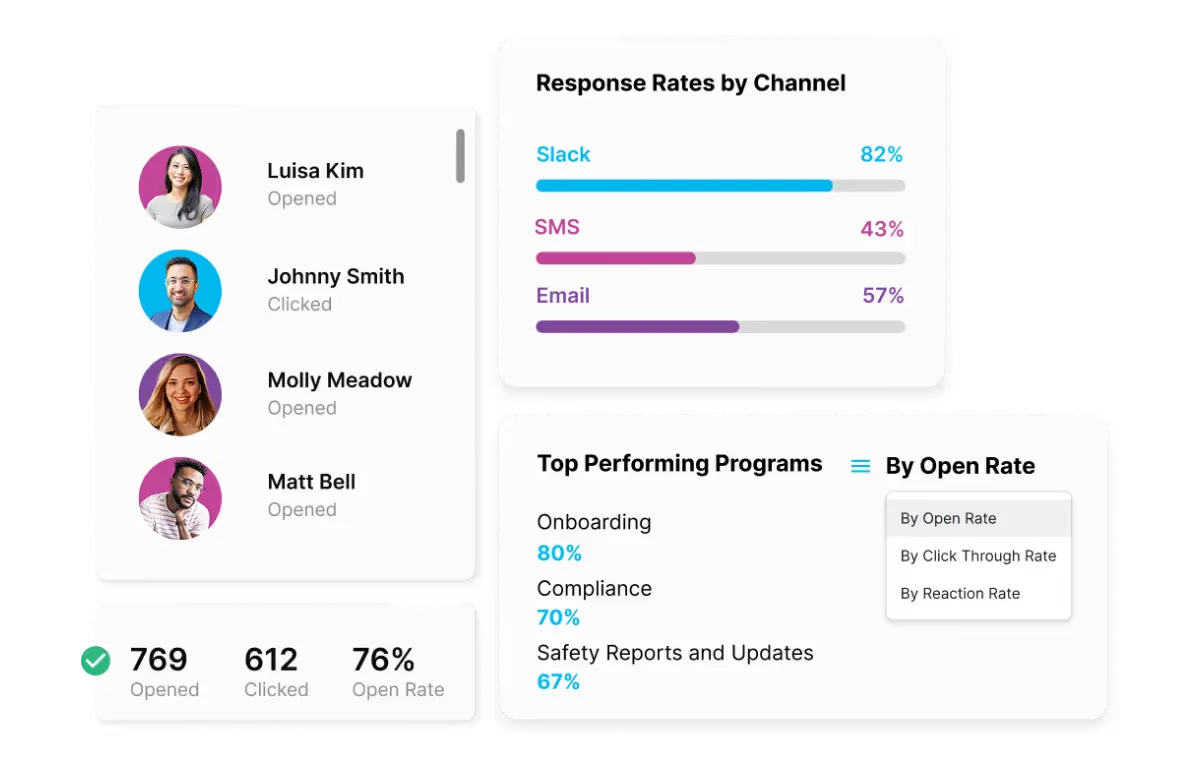
Proof for leadership, by team, channel and program.
Bring your HRIS and your channels. We will show you your first program, built in front of you.